
Deck Compatibility Checks
| Step | What it checks | What to do |
|---|---|---|
| Steam store | The store page is the purchase baseline, and it should be checked before any Deck assumption. | If the store still lists Windows only, treat Deck play as test-first. |
| tinyBuild support | tinyBuild support mentions Proton and Proton BattlEye Runtime, which is a useful setup clue. | Use it as a setup checklist, then compare it with newer support or developer replies. |
| Steam discussion | A developer reply said Linux and Steam Deck were unsupported at that time because of BattlEye. | If this is the freshest official-style statement, plan a Windows fallback. |
| ProtonDB | ProtonDB reports can show whether players are launching, crashing, or blocked by anti-cheat. | Read report dates and Proton versions before copying a launch option. |
| Local test | The only answer that matters for your Deck is whether the installed build launches, logs in, renders, controls, and extracts. | Test one variable at a time and write down the result. |
| Fallback | A mixed source picture means the fix may fail on trip, LAN, or paid-session plans. | Keep a Windows machine or cloud fallback if the session matters. |
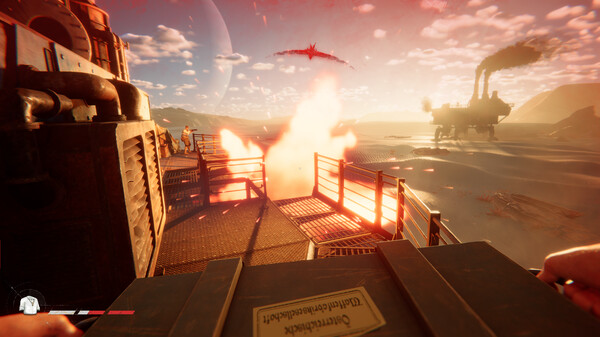
Deck Support Needs Dated Proof
Linux and Steam Deck players want a realistic support answer.
Windows Requirements Are Not Deck Proof
Steam Deck claims often overpromise. If one page says Proton may work and another developer reply says unsupported, the safe answer is not "works" or "broken"; it is "verify this game and Proton version before planning a session."
Proton And Anti-Cheat Can Change
Compatibility depends on Proton behavior, BattlEye support, graphics pipeline, controller prompts, performance target, patch state, and whether the game or anti-cheat package changed since the last report.
Verify Deck And Linux Step By Step
Check the Steam page, tinyBuild support, dated discussions, ProtonDB reports, and your own fallback plan. If the game fails, test Proton versions one at a time, verify files, confirm Proton BattlEye Runtime, and keep a Windows fallback before assuming permanent incompatibility.
- Check official Steam requirements and tinyBuild support before installing on Deck or Linux.
- Compare the dated Steam developer or support reply with ProtonDB and Reddit reports from the same patch window.
- Install or verify Proton BattlEye Runtime only if the dated source still recommends that path after checking its date.
- Test one Proton version at a time and record launch, login, input, performance, and anti-cheat behavior.
- Use a Windows PC fallback when BattlEye, driver behavior, or performance blocks play.
Linux And Deck Fixes To Avoid
- Calling unsupported Windows requirements proof of Deck support.
- Changing Proton, launch options, and graphics settings all at once.
- Ignoring anti-cheat compatibility.
- Using a single old report as settled truth.
- Treating tinyBuild Proton wording as final when a newer Steam discussion says unsupported.
- Treating one failed launch as permanent when Proton, anti-cheat runtime, or patch state may have changed.
Read The Sources In Order
A good SAND Linux answer should not flatten conflicting sources. Use a source order: Steam store for requirements, tinyBuild support for setup wording, Steam Discussions for recent developer or player replies, ProtonDB for player-tested Proton behavior, then your own short test.
When sources disagree, compare their publication and check dates, then use the one that matches your exact setup and game/Proton version.
- Steam store: purchase and platform baseline.
- tinyBuild support: Proton and Proton BattlEye Runtime setup clue.
- Steam discussion: dated support or unsupported wording.
- ProtonDB: dated compatibility reports and Proton versions.
- Local test: your final answer for this patch.
Test One Deck Variable At A Time
Do not change Proton version, launch options, graphics preset, controller layout, and desktop mode in one attempt. If SAND Steam Deck behavior changes, you will not know which change mattered.
Run a short test path: launch, login, menu, controller prompts, Voyage load, first movement, and exit.
- Verify files before changing Proton.
- Confirm Proton BattlEye Runtime if dated support still points there.
- Try one Proton version, then retest the same trigger.
- Lower graphics only after launch and anti-cheat behavior are known.
- Record whether failure happens before menu, on login, on mode load, or during gameplay.
Know When To Stop Troubleshooting
Linux tinkering can eat the whole session. If BattlEye blocks launch, controls do not map reliably, or performance cannot survive a simple Voyage loop, stop treating it as a guide problem.
Use Windows until dated sources and your own test agree that the Deck path works.
- Stop if anti-cheat blocks login or launch repeatedly.
- Stop if Proton changes make different failures each run.
- Stop if controller prompts break basic interact, map, or boarding input.
- Stop before a valuable route if the test has not extracted once.
- Return after a game, Proton, driver, or anti-cheat update.
Linux And Deck Test Notes
SAND Linux and Deck advice needs dated proof because the public source picture can split between Proton setup wording and unsupported anti-cheat wording.
Use the SAND Steam Deck notes as a test order, not a promise. If Proton, BattlEye, drivers, or the game build changes, the old result may no longer be useful.
- Check compatibility before installing for a trip or long session.
- Use reports from the same game/Proton version rather than old alpha comments.
- Change one variable at a time: Proton version, launch option, graphics setting, or controller setting.
- Keep a Windows fallback when Steam Deck support is not confirmed by dated sources.
- Recheck after Proton, driver, anti-cheat, or game updates because behavior can move.
- Test before a long session so you are not debugging under time pressure.
- Keep changes small enough that you can undo the last failed setting.
Sources and Version Notes
Verified July 12, 2026. Store price, platform status, server health, player-count snapshots, database stats, and build advice can change after patches.
FAQ
What should I check first in SAND Steam Deck?
Verify dated compatibility evidence first. Steam lists Windows requirements, so Linux and Deck behavior needs local testing and caution.
How often should I re-check SAND Steam Deck?
Re-check it after major patches, store-page changes, server incidents, or when a community report contradicts an older guide.
Is this official guidance for SAND Steam Deck?
No. Use it as independent fan guidance and open the linked official or community sources before relying on important claims.