
Controls To Test Before Deployment
| Action / context | Default key or input | When to test it |
|---|---|---|
| On-foot movement | Third-party PC lists show WASD for movement, mouse for camera, Space for jump, Left Ctrl for crouch, and Left Shift for sprint. | Verify these in Settings, then test sprint, crouch, jump, and interact while moving. |
| Combat and interaction | Public shortcut references list LMB for fire or attack, RMB for aim, R for reload, and F for interact. | Test aim, reload, interact, and weapon swap behavior before entering a contested POI. |
| Inventory and map | Tab is commonly listed for inventory and M for map. Menu back, split, drop, and transfer prompts should be checked in game. | Open inventory and map during the drill; do not wait until extraction or storage pressure. |
| Trampler driving | The linked third-party lists show W/S for gear or speed, A/D for turning, Q/E for side movement, Space for emergency brake, R for horn, and G for lights. | Drive in a low-risk area and test brake, side movement, horn, and lights before judging a build. |
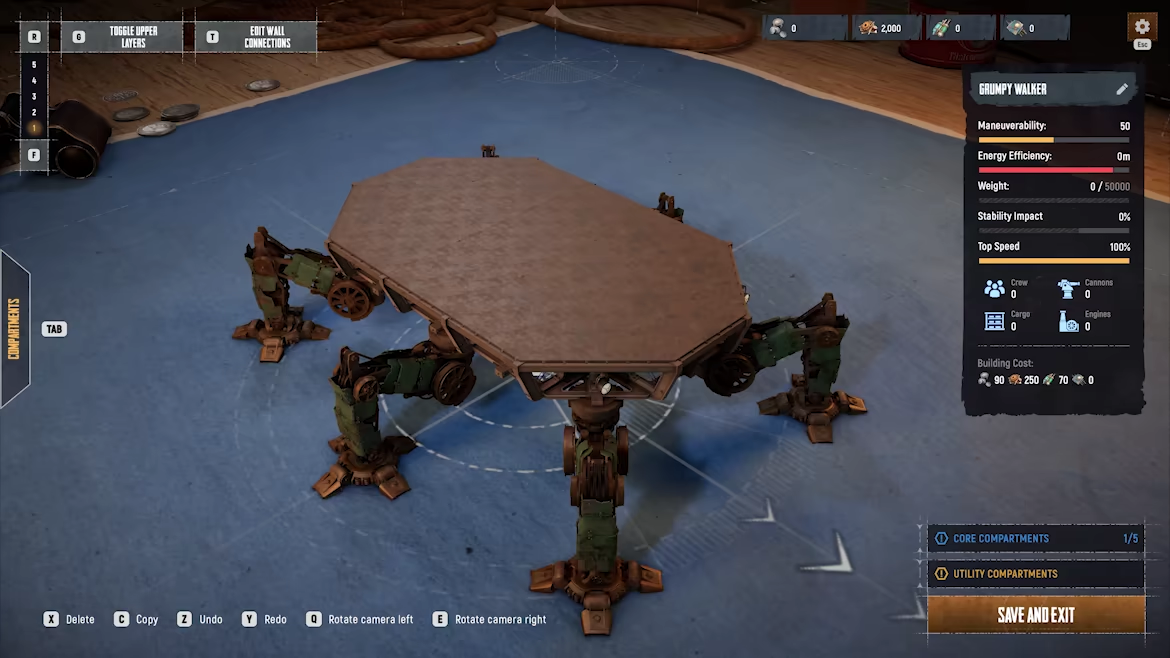
| Trampler editor and stations | Editor and station prompts can differ from on-foot controls; public lists mention E, X, C, and V in editor contexts, but in-game prompts should win. | Check build, rotate, pack, station, turret, repair, and exit prompts one by one. |
| Controller support | The official support FAQ says SAND has full controller support and warns that Steam Input may need to be disabled if issues appear. | If controller behavior is odd, disable Steam Input for SAND, restart, and test menus plus interaction prompts. |
| Flares and signaling | GamesRadar describes flare color selection with R and mouse-wheel selection; treat it as a practical tip to verify, not an official control list. | If your squad uses flares, test color selection and firing direction before using it as a route signal. |
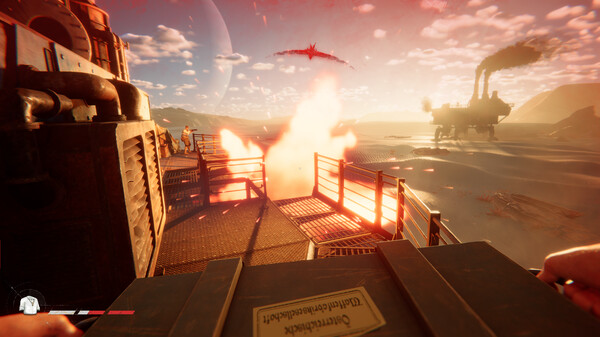
Start With The Keys That Save Loot
Players searching controls usually need a quick pre-deployment drill, not a generic reminder. This SAND controls guide keeps the checks tied to keys you can test before carrying valuable loot or changing keybinds.
Where Inputs Usually Fail
Controls become expensive only when they fail during an expedition. If you discover the interact key, inventory, map, Multi Tool, flare wheel, or Trampler brake while carrying a green box, the mistake has already created risk.
Why One Key Can Mean Three Things
The cause is usually context. R can be reload, horn, or flare color selection depending on what you are holding or driving; Space can be jump or emergency brake; W/S move the player but shift Trampler gears. A key can feel fine in a menu and still fail when you are parking, repairing, calling extraction, or trying to talk without voice chat.
Five-Minute Input Drill
Use the SAND controls guide drill before deployment: move, crouch, sprint, interact, open inventory, open map, reload, equip the Multi Tool, test flashlight and binoculars, switch weapons, use voice chat, drive the Trampler, brake, sidestep, honk, toggle lights, then return to the driver seat. Rebind one category at a time and repeat the whole drill.
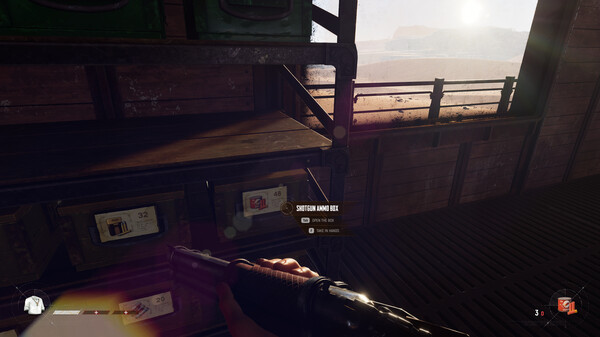
- On foot, test W/A/S/D movement, Space jump, Left Ctrl crouch, Left Shift sprint and scope, F use, Tab inventory, M map, R reload, E melee, X drop, G flashlight, T Multi Tool, B binoculars, C voice, and V team voice.
- At the Trampler seat, test W/S gear up and down, A/D turn, Q/E sidestep, Space emergency brake, R horn, and G lights before parking near a POI.
- In the Trampler editor, test camera movement, Q/E camera rotation, R/F layer up and down, X delete, C duplicate, V mirror, Tab library, Space rotate part, T wall connections, and G upper layers before saving a changed build.
- For flare communication, hold R with the flare gun out, scroll to a color, then release R to load it. Fire upward if you need the smoke to be visible.
- For controller play, start with the official FAQ: test with Steam Input disabled if prompts or inputs feel wrong, then compare keyboard and mouse before blaming lag.
- After any rebind, run one cheap Voyage loop before taking rare loot. The route should prove interact, inventory, repair, parking, extraction, and voice inputs under mild pressure.
Control Mistakes That Cost Expeditions
- Rebinding F, Tab, M, R, and Space at the same time, then not knowing which change broke the expedition.
- Treating the Trampler like a car. W/S are gear controls, and Space is the brake you need when a canyon, wall, or enemy appears late.
- Forgetting Q/E sidestep, then making wide turns when a small sideways adjustment would have parked the walker safely.
- Learning the Multi Tool key only after the Trampler is damaged and the fight has already started.
- Assuming controller trouble is server lag before checking the official Steam Input warning and one keyboard-and-mouse test.
- Using flare colors without context. A flare can help communication, but the smoke can also tell nearby raiders where you are.
Before-Deployment Drill
Run this drill in a safe spot before you bring rare weapons or a full box. It catches the exact inputs that become expensive once a POI or extraction fight starts.
- Move with W/A/S/D, jump with Space, crouch with Left Ctrl, sprint with Left Shift, then stop and use F on a nearby prompt.
- Open Tab inventory, open M map, swap weapon slots with 1 and 2, reload with R, then equip T Multi Tool.
- Toggle G flashlight, pull B binoculars, test C voice and V team voice, and confirm your push-to-talk device is correct.
- Sit in the Trampler and test W/S gears, A/D turn, Q/E sidestep, Space brake, R horn, and G lights.
- If you changed a bind, repeat the full loop once before entering Storm Dive or carrying expensive loot.
Flare And Voice Backup
Flares are not a replacement for voice chat, but they are useful when a teammate or nearby raider cannot hear you.
- Hold R with the flare gun equipped, scroll to a color, and release R to load it.
- Fire upward. A shallow shot can fall too low to signal clearly.
- Do not fire a flare casually during extraction or while carrying useful materials. Smoke can attract other raiders.
- If C or V voice chat is unreliable, agree on simple flare meanings before deployment rather than inventing them mid-fight.
Controller Troubleshooting Order
Treat controller problems as a settings test, not a route problem. The official FAQ says controllers are supported, but Steam Input may cause issues.
- Test keyboard and mouse first so you know whether the problem is the route, server, or input device.
- If controller prompts or actions double-trigger, disable Steam Input for SAND and restart the game.
- Check the in-game controller layout after restart before changing community templates.
- Only after the official path fails should you try a custom Steam controller configuration, and you should record what changed.
Check These PC Keys First
Start with the SAND controls guide key list before opening the in-game settings. Because SAND is in Early Access and public shortcut pages are not official manuals, the Settings or Controls screen is the final source for your installed game version.
The goal is not to memorize every key. The goal is to know which input to test before it can cost an expedition.
- Movement: WASD, mouse look, Space jump, Left Ctrl crouch, Left Shift sprint.
- Combat: LMB fire or attack, RMB aim, R reload, and any weapon-swap prompt shown by your selected keybind layout.
- World actions: F interact, plus any pickup, open, use, or exit prompt shown near loot, doors, seats, or stations.
- Navigation and inventory: Tab inventory and M map are commonly listed; verify menu back, drop, split, transfer, and storage prompts.
- Signals: if you rely on flares, test the color wheel and firing direction before the squad uses it as a route call.
Fix Controller Prompts With Steam Input
Controller setup should be tested before a risky route, not during one. This SAND controls guide starts with the official support answer: SAND has full controller support, and Steam Input may need to be disabled if controller issues appear.
That means the first controller fix should be reversible. Do not rewrite every binding before checking whether Steam Input is fighting the native controller layer.
- Close the game, open Steam Library, right-click SAND, then open Properties and Controller.
- Change the Steam Input override for SAND to disabled, restart the game, and test the main menu, inventory, interact prompts, and Trampler entry.
- If disabling Steam Input makes behavior worse, switch it back and test keyboard and mouse to isolate whether the issue is controller-specific.
- For Steam Deck or Proton, check the separate Linux and Steam Deck page before treating Windows controller support as proof.
Flare And Voice Backup
Flares are not a replacement for voice chat, but they are useful when a teammate or nearby raider cannot hear you.
- Hold R with the flare gun equipped, scroll to a color, and release R to load it.
- Fire upward. A shallow shot can fall too low to signal clearly.
- Do not fire a flare casually during extraction or while carrying useful materials. Smoke can attract other raiders.
- If C or V voice chat is unreliable, agree on simple flare meanings before deployment rather than inventing them mid-fight.
Practice Driving Before Loot Runs
Do the Trampler drill before a route where you expect repairs, turret work, or extraction pressure. Driving alone is not enough; you need to know how to recover when the walker is awkwardly parked or under fire.
Linked references list W/S gear or speed, A/D turn, Q/E side movement, Space emergency brake, R horn, and G lights. Confirm the on-screen prompts before relying on them.
- Enter and exit the Trampler without moving your camera away from the prompt.
- Move forward, reverse or change speed, turn, side-step, and emergency brake.
- Use horn and lights so the keys are not confused with reload or interact during a fight.
- Move to a station or turret, leave that station, and confirm any release prompt that cannot be comfortably rebound.
- Practice one repair or recovery step, then return to the driver position and drive away.
Recheck These Input Pain Points
Community reports are useful because they show where players get stuck. They should not be treated as permanent facts. Use them as a checklist after every major update or after changing input devices.
The recurring reports worth checking are sensitivity options, ADS or scope behavior, mouse side-button binding, voice or push-to-talk keys, turret sensitivity, and station or Trampler release prompts.
- If aim feels wrong, check mouse sensitivity and any separate ADS or scope option before changing weapon choices.
- If mouse side buttons do not bind cleanly, test one button at a time and keep a keyboard fallback for interact, reload, or push-to-talk.
- If turret controls feel heavy or too fast, test that station in a safe area before blaming the Trampler build.
- If an F-style release or station prompt cannot be rebound comfortably, route around it with a safe keyboard fallback until a patch changes behavior.
- When a patch note or community thread says controls changed, repeat the drill instead of trusting an old layout.
Keep One Stable Layout
A rebinding pass is complete only when the whole loop still works. Keep this SAND controls guide open while you test interact, reload, inventory, map, and Trampler inputs together instead of one menu at a time.
For squads, agree on simple callouts for flares, horn, lights, turret seats, storage, repair, and extraction before the first valuable route.
- Save one stable keyboard and mouse layout for several expeditions before judging a route or build.
- Keep controller changes separate from keyboard changes so troubleshooting stays clean.
- Recheck the SAND controls guide checklist after patches, Steam Input changes, driver updates, or when a new device becomes the main input.
- Use the Beginner Checklist before deployment so controls testing becomes part of the routine.
Sources and Version Notes
Verified July 12, 2026. Store price, platform status, server health, player-count snapshots, database stats, and build advice can change after patches.
FAQ
What are the most important SAND controls to learn first?
Learn F for use, Tab for inventory, M for map, R for reload, T for Multi Tool, Space for jump or Trampler brake, and the Trampler gear and sidestep keys before a valuable route.
How do I drive the Trampler?
Use W/S to shift gear up and down, A/D to turn, Q/E to sidestep, Space to emergency brake, R to horn, and G to toggle lights. Confirm the on-screen prompts in your installed game version.
Does SAND support controllers?
Yes, but the official FAQ warns that Steam Input may cause issues and may need to be disabled while support is being fixed.
How do I change flare color?
With the flare gun out, hold R, scroll to the color, then release R to load the selected flare. Shoot upward so the smoke is visible.
Should I rebind keys before my first expedition?
Only rebind one blocker at a time. After a change, test movement, interact, inventory, map, repair, Trampler driving, and extraction in a cheap Voyage.
Are these official default SAND keybinds?
No. They combine public shortcut references with practical checks. Always confirm the in-game Settings or Controls screen after updates.