
Extraction Steps To Check
| Check | Why it matters | Action |
|---|---|---|
| Map marker | The exit target is usually shown as a white door icon on the map, then becomes easier to follow as you close in. | Pick the closest usable marker before your route is heavy, damaged, or low on supplies. |
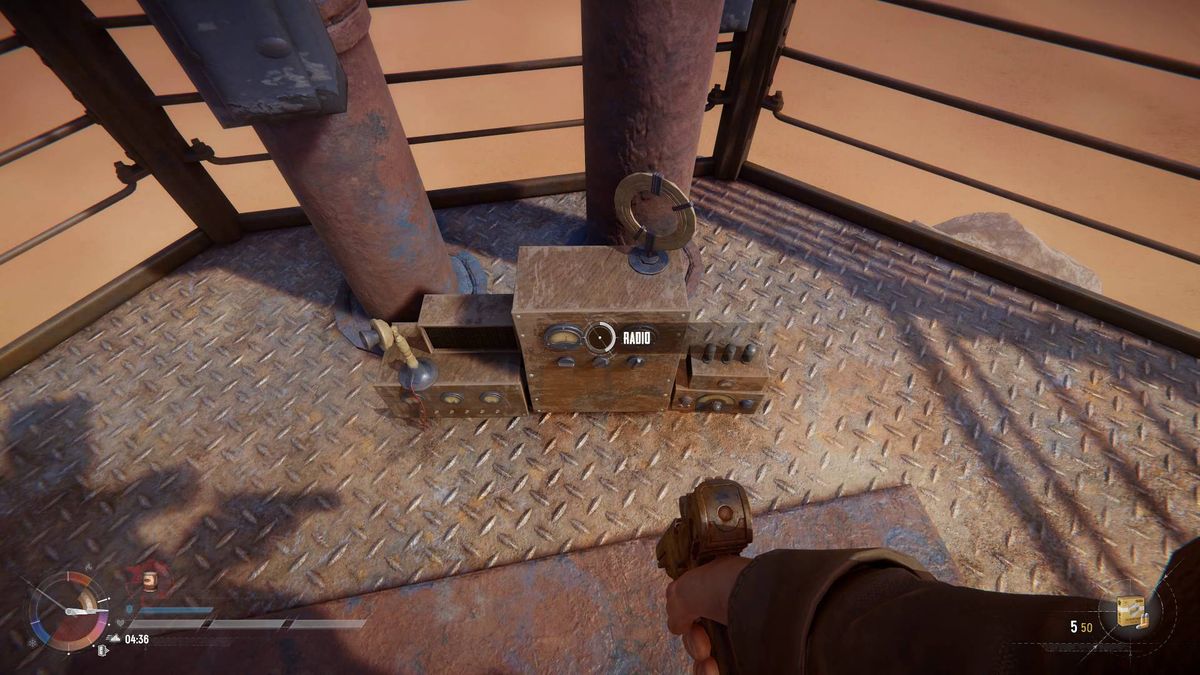
| Radio tower | At the extraction site, the radio tower starts the ship call and may be the real object you need to find. | Climb the tower, call the ship with F or your bound interact key, and hold until the signal starts. |
| Wait window | Expect a short ship wait, commonly around 90 seconds after the call. | Heal, reload, watch entrances, and keep the Trampler positioned while the timer runs. |
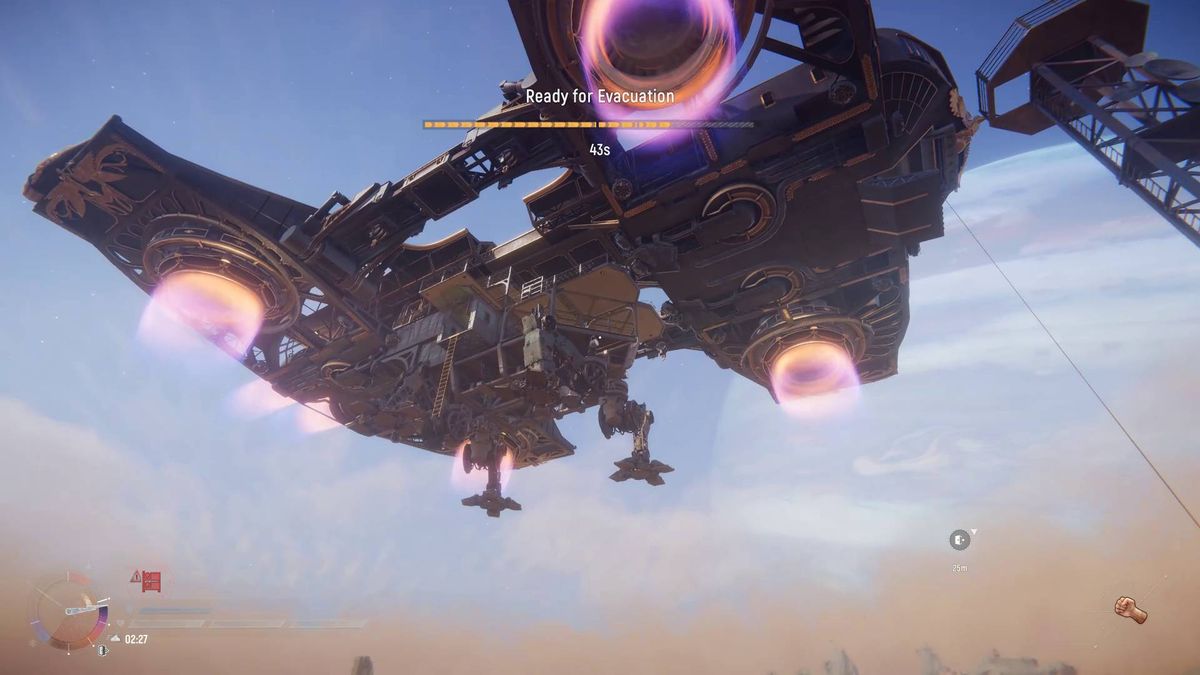
| Cable window | When the ship arrives, the cable or rope is the final player boarding check. | Stop looting, get off the Trampler, and take the cable before the window closes. |
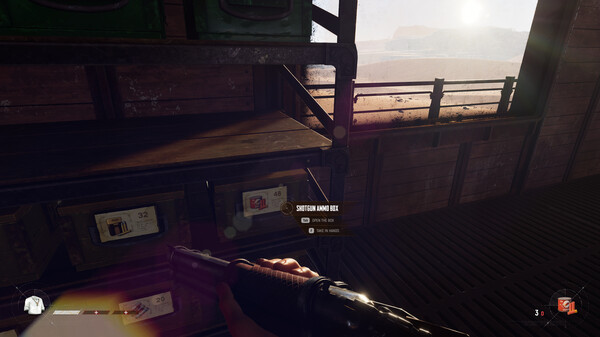
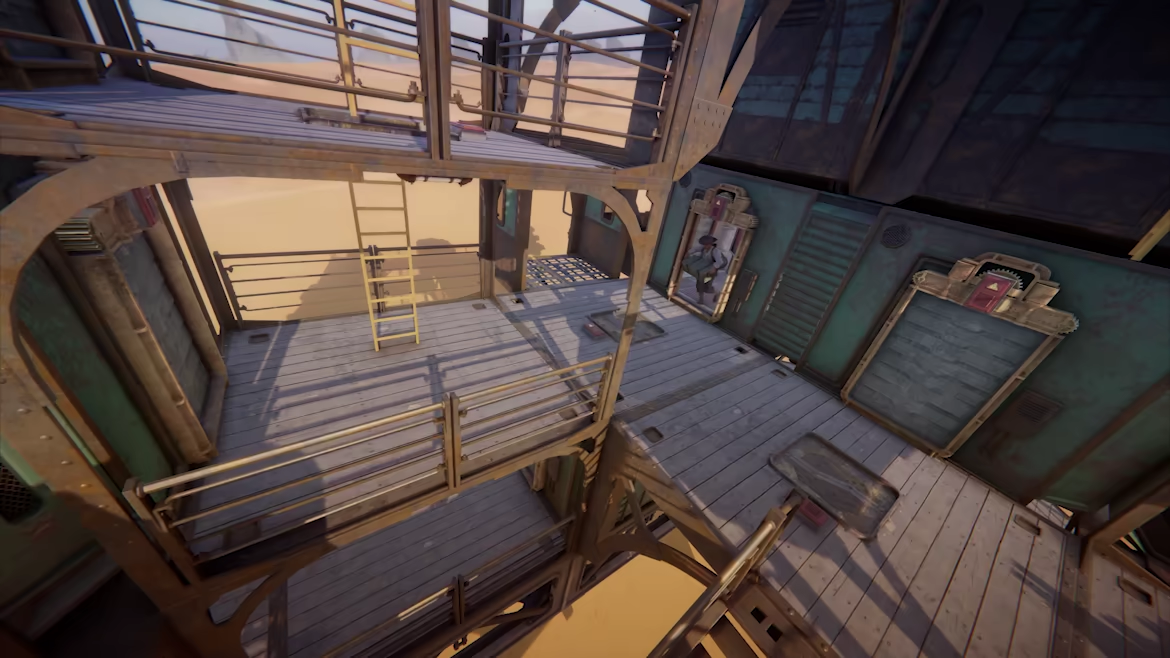
| Loot storage | Loose loot on the floor may not come home cleanly. | Use shelves, racks, fridge slots, valid storage, or carry the container onto the cable yourself. |
| Player boarding | The Trampler leaving does not mean the player has left. | Get off the walker and grab the cable or rope when the ship arrives. |
| Mode timing | Voyage gives more room to learn; Storm Dive adds more pressure around active exits. | Check whether that extraction point is active before copying a Voyage habit into Storm Dive. |
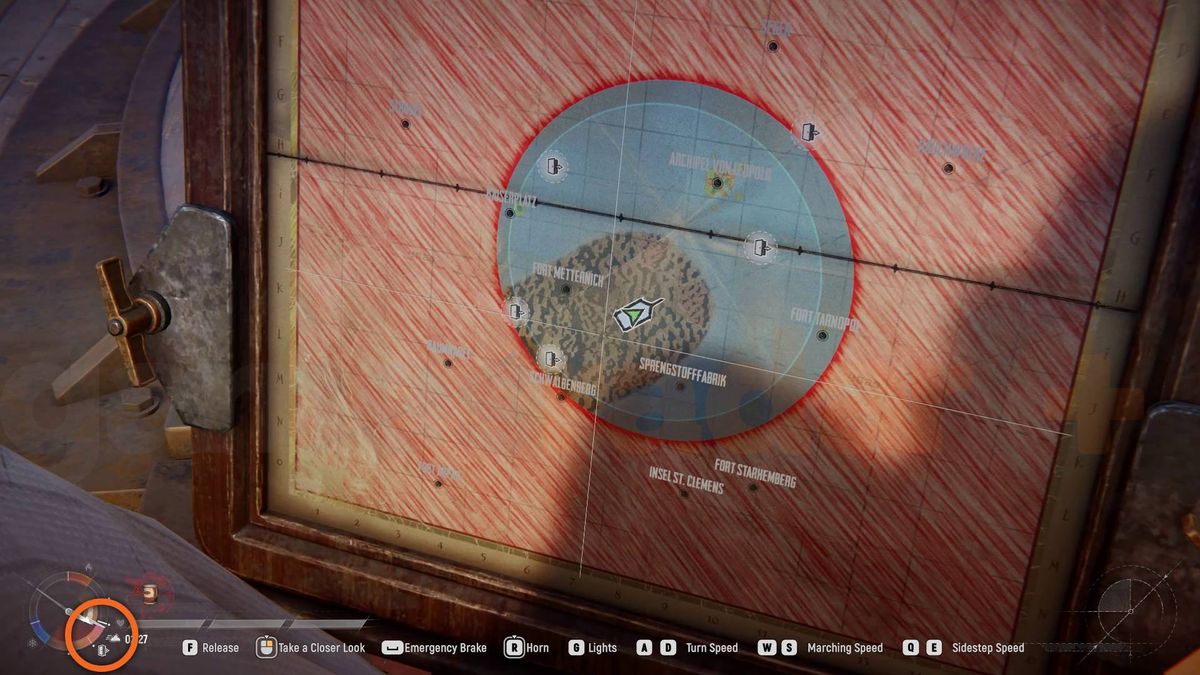
Start At The Map Marker
Use the sequence below when you need the actual leave flow, not just a reminder to stop being greedy.
Why A Clean-Looking Extract Still Loses Gear
A SAND extract can fail even after the Trampler reaches the ship. Players often lose gear because they never board the cable, leave loot loose on the floor, call the ship too late, or assume Voyage and Storm Dive give the same exit window.
The Player, Trampler, And Loot All Need To Leave
Extraction has several separate checks: the map marker, tower waypoint, radio prompt, ship wait, cable window, Trampler pickup, player boarding, and loot storage. Missing any one of those can turn a clean-looking exit into lost value.
Call The Ship And Take The Cable
Treat the exit like a short mission. Pick the extraction marker before the route gets messy, call the ship from the radio tower, use the wait to heal and reload, secure the loot, park where the cable can be reached, then leave as the player by taking the ship cable.
- Open the map early and choose the closest usable white door extraction icon before the Trampler is damaged or overloaded.
- Drive to the extraction site, use the waypoint or tower silhouette to find the radio, climb it, and hold the interact prompt on the radio to call the extraction ship.
- When the signal starts, treat the wait as a fight window. Heal, reload, watch approach angles, and keep the Trampler ready to move.
- Before the ship arrives, put loose loot into storage, racks, fridge slots, or a container you can carry onto the cable.
- When the ship and cable arrive, leave the Trampler, grab the cable or rope yourself, and stay on it until the extraction completes.
- If gear is missing afterward, check whether the player boarded, whether loot was loose, whether Storm Dive timing changed the exit, or whether a server issue interrupted the return.
Mistakes That Cost Loot
- Letting the Trampler leave while the player stays on the deck instead of grabbing the cable.
- Dropping loot loose on the Trampler floor and assuming it will count after extraction.
- Calling the ship only after the route is already crowded, damaged, or low on supplies.
- Using Voyage habits in Storm Dive without checking whether that extraction point is active or already used.
- Taking one more POI after the haul is already worth keeping.
Read The Map Before The Haul Is Heavy
Choose an extraction icon while the route is still calm. On the map, look for the white door exit symbol, then keep checking it as the Trampler moves. If you wait until the Trampler is damaged, food is low, or the crew is scattered, the exit becomes a fight instead of a plan.
Drive with the return path in mind. A good POI is only good if you can still reach the radio tower, turn the Trampler around, and leave without taking a pointless late fight.
- Mark the nearest white door extraction icon before opening a risky POI.
- Avoid narrow parking spots that make the Trampler hard to move during the wait.
- Leave after one clear win if the next POI would put the exit behind enemies or terrain.

Use The Radio Tower, Then Guard The Wait
At the extraction site, look for the radio tower and climb to the radio prompt. Hold the interact key until the signal starts. If your controls are rebound, trust the prompt on screen over any old key list.
Once the signal is active, stop looting. Treat the roughly 90-second ship wait as a small defense phase: reload, heal, check sightlines, and decide who watches the cable approach.
- Call the ship from the radio tower, not from the Trampler deck.
- If you cannot call the ship, recheck the tower prompt before assuming the exit is bugged.
- Treat green smoke, a timer, or a ship cue as the start of the danger window.
- Park so the cable side is reachable, then stop moving once the ship is close.
- Do not leave the tower area for one more container unless the exit is already protected.
Put Loot Where Extraction Counts
Before the ship arrives, make the loot easy for the game to count. Store weapons and valuables in proper slots, shelves, racks, fridge space, or a valid container. If you plan to carry a box out, keep it with the player who will take the cable.
Do not rely on loose items sitting on the Trampler floor unless an in-game result or a dated patch note confirms they count. The safest habit is to store first, then board.
- Move high-value items off the floor before the extraction ship arrives.
- Keep a carried box with the player who is actually leaving on the cable.
- Use the post-extraction screen or inventory check to confirm which storage habit worked.
Voyage And Storm Dive Need Different Timing
Use Voyage to learn the exit loop with less pressure. Practice finding the marker, climbing the tower, calling the ship, storing loot, and boarding the cable before chasing a bigger haul.
In Storm Dive, assume the exit decision is more time-sensitive. The storm, enemy pressure, match timer, and whether an extraction point is usable during that run can make a familiar route feel different.
- In Voyage, practice the sequence until no one in the crew asks where the cable is.
- In Storm Dive, choose an exit earlier and avoid optional POIs once the haul is already worth saving.
- When extraction opens in Storm Dive, check the map again instead of driving to a tower from memory.
- If an exit is inactive, contested, or already used, rotate sooner instead of forcing the same plan.
If Gear Is Missing After You Return
Do the replay in order. First ask whether the player actually took the cable. Then check whether the lost gear was loose, inside valid storage, inside a carried container, or still on a teammate who missed the extraction.
If the steps were clean and several players report the same issue after a patch, check fresh Steam or Reddit reports before changing your route habits. Do not rewrite your whole route plan until you know whether the loss was a boarding mistake, a storage mistake, or a server-side problem.
- Player left behind: get off the Trampler and take the cable next time.
- Loose loot missing: use storage or carry the container before boarding.
- Container missing: have the carrying player board the cable and verify it after return.
- Exit not available: recheck mode timing and rotate before the route collapses.
- Connection loss: check timestamped server-status evidence for the same incident window before blaming the route.
Sources and Version Notes
Verified July 12, 2026. Store price, platform status, server health, player-count snapshots, database stats, and build advice can change after patches.
FAQ
How do I extract in SAND?
Go to a white door extraction icon, use the radio tower to call the ship, defend the roughly 90-second wait, then get off the Trampler and grab the ship cable or rope during the final boarding window.
Why did I lose loot after extracting?
Common causes are staying on the Trampler instead of boarding the cable, leaving loot loose on the floor, carrying a container incorrectly, or being hit by a connection or server issue during the return.
Does the Trampler extract the player automatically?
No. Treat Trampler extraction and player extraction as separate checks. Make sure the player takes the cable or rope before the extraction completes.
Should I wait until inventory is full before extracting?
No. Leave when the haul is worth keeping and the route is still readable. A smaller secured haul is better than a full load lost during a late fight.
Is extraction the same in Voyage and Storm Dive?
No. Voyage is better for learning the loop because radio towers are forgiving. Storm Dive adds more pressure: towers become usable around the match timer extraction mark and can be single-use, so keep checking the map.